

Microsoft Store Spring Sale
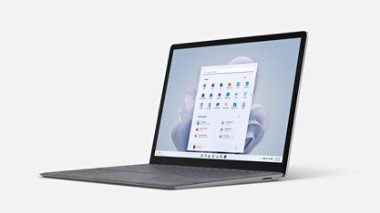
Surface Laptop 5
Spring Sale is here—save on select devices that offer lightning-fast speed and the power of AI and Copilot in Windows (in preview)*.
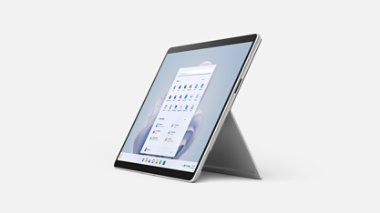
Surface Pro 9
Enjoy special savings on select devices that fuse tablet flexibility, laptop performance, and AI technology using Copilot in Windows (in preview)*.
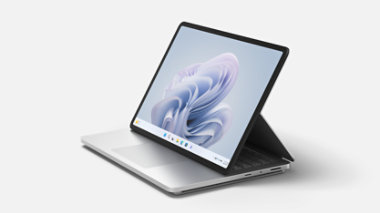
Surface Laptop Studio 2
New season, new savings on the most powerful Surface yet. Plus, get 10% off for a limited time when you add a Microsoft Complete protection plan to your purchase.
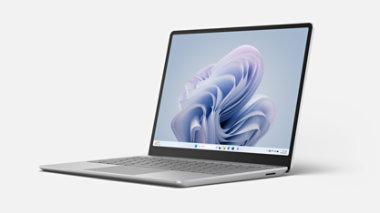
Surface Laptop Go 3
Get a great deal on select ultraportable devices. Plus, for a limited time, save 15% on a Microsoft Complete protection plan with your purchase.
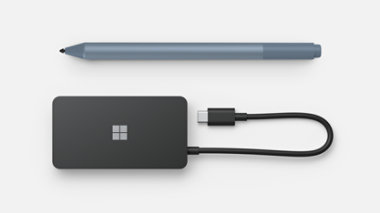
Save on select Surface accessories
For a limited time, enjoy Spring Sale savings on Surface USB-C Travel Hub and select Surface Pens.
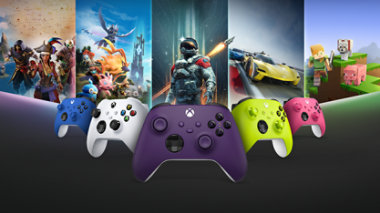
Xbox Wireless Controllers
Elevate your game with savings on unparalleled comfort and control.
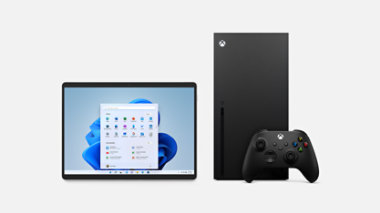
Up to 49% off Microsoft Certified Refurbished devices
Get a great price on Surface and Xbox devices that have been put through a rigorous certification process, tested to confirm they’re working properly, and inspected for quality.

Diablo IV, now on Game Pass
Fight in the endless battle between the High Heavens and Burning Hells, where a world of adventure and devastation awaits. Offer available to new subscribers only.
Copilot Pro
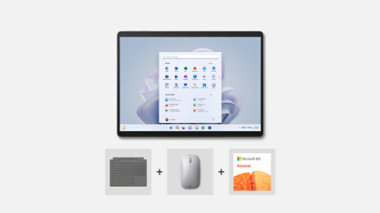
Bundle and save on Surface
Bundle includes device, Microsoft 365, Microsoft Complete, and savings on additional accessories.
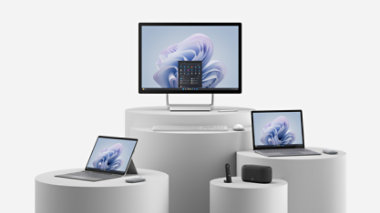
Surface deals for business
Check out the latest deals on laptops designed to empower your team to do more.

Get cash for your used device
Trade in an eligible PC, laptop, tablet, phone, or game console and get cash back. If your old device isn’t eligible for trade-in, we’ll help you recycle it for free.

No shipping required
Your gift, their pick—from the hottest in gaming to the latest devices, let them choose with a gift card.

Multiple ways to pay

60-day price protection

Free 2-3 day shipping

Free 60-day returns
Xbox accessory deals

Xbox Wireless Controller
Originally From $59.99 now From $44.99
Experience the Xbox Wireless Controller, designed for enhanced comfort during...Select Xbox Wireless Controller for more information.
Xbox Elite Wireless Controller Series 2
Originally $179.99 now $150.99
The Xbox Elite Wireless Controller Series 2 features over 30 ways to play like a pro...Select Xbox Elite Wireless Controller Series 2 for more information.
Xbox Elite Wireless Controller Series 2 – Core
Originally From $129.99 now From $121.99
Experience the Xbox Elite Wireless Controller Series 2 – Core, featuring...Select Xbox Elite Wireless Controller Series 2 – Core for more information.
Xbox Wireless Controller – Arctic Camo Special Edition
Originally $69.99 now $54.99
Experience the Xbox Wireless Controller – Arctic Camo Special Edition, featuring a...Select Xbox Wireless Controller – Arctic Camo Special Edition for more information.
Xbox Wireless Controller – Mineral Camo Special Edition
Originally $69.99 now $54.99
Experience the Xbox Wireless Controller – Mineral Camo Special Edition, featuring a...Select Xbox Wireless Controller – Mineral Camo Special Edition for more information.
Xbox Wireless Controller – Daystrike Camo Special Edition
Originally $69.99 now $54.99
Experience the Xbox Wireless Controller – Daystrike Camo Special Edition, featuring a...Select Xbox Wireless Controller – Daystrike Camo Special Edition for more information.
Xbox Stereo Headset
Originally $59.99 now $46.99
Game loud and clear with the Xbox Stereo Headset, featuring crystal-clear chat and a...Select Xbox Stereo Headset for more information.
Xbox Wireless Headset
Originally $99.99 now $89.99
Game loud and clear with the Xbox Wireless Headset, featuring auto-mute and voice...Select Xbox Wireless Headset for more information.
Xbox Wireless Controller – Stormcloud Vapor Special Edition
Originally $69.99 now $54.99
Experience the Xbox Wireless Controller – Stormcloud Vapor Special Edition, featuring...Select Xbox Wireless Controller – Stormcloud Vapor Special Edition for more information.
Xbox games specials
Call of Duty®: Modern Warfare® III - Cross-Gen Bundle
Originally $69.99 now $45.49Offers in app purchases
EA SPORTS FC™ 24 Standard Edition Xbox One & Xbox Series X|S
Originally $69.99 now $13.99Offers in app purchases
Surface Bundles
Surface Laptop Studio 2 Essentials Bundle
Originally From $2,318.98 now From $2,194.08
Get the versatility to create and the power to perform with this bundle featuring...Select Surface Laptop Studio 2 Essentials Bundle for more information.
Surface Laptop Go 3 Essentials Bundle
Originally From $998.98 now From $879.63
Get it all done with this bundle featuring Surface Laptop Go 3, Microsoft 365, and...Select Surface Laptop Go 3 Essentials Bundle for more information.
Surface Pro 9 and Pro Keyboard Bundle
From $1,539.98
Surface Pro 9 gives you the tablet flexibility you want and the laptop performance and...Select Surface Pro 9 and Pro Keyboard Bundle for more information.
Surface Pro 9 Essentials Bundle
Originally From $1,458.97 now From $1,021.37
Move through your day with this bundle featuring Surface Pro 9, Surface Pro Signature...Select Surface Pro 9 Essentials Bundle for more information.
Surface Laptop 5 Essentials Bundle
Originally From $1,218.98 now From $1,174.28
Do it all, all at the same time with this bundle featuring Surface Laptop 5, Microsoft...Select Surface Laptop 5 Essentials Bundle for more information.
Surface Studio 2+ Essentials Bundle
Originally From $4,968.98 now From $4,889.18
Elevate your creativity and productivity with this bundle featuring Surface Studio 2...Select Surface Studio 2+ Essentials Bundle for more information.
Surface Pro 9 for Business Essentials Bundle
Originally From $1,318.98 now From $1,200.18
Empower flexible, all-day impact with this bundle featuring Surface Pro 9 for...Select Surface Pro 9 for Business Essentials Bundle for more information.
Surface Laptop 5 for Business Essentials Bundle
Originally From $1,228.98 now From $1,128.18
Do it all with style, speed, and performance with this bundle featuring Surface Laptop...Select Surface Laptop 5 for Business Essentials Bundle for more information.
Surface Laptop Go 2 for Business Essentials Bundle
Originally From $803.98 now From $790.18
For every project plan, team video call, and customer presentation, get it all done...Select Surface Laptop Go 2 for Business Essentials Bundle for more information.
Surface Pro 8 for Business Essentials Bundle
Originally From $1,378.98 now From $1,323.18
This bundle includes Surface Pro 8 for Business, Surface Pro Signature Keyboard and a...Select Surface Pro 8 for Business Essentials Bundle for more information.
Microsoft Store Offer Terms
Frequently asked questions
-
It’s never been easier to send someone a near-instantaneous gift on Xbox or your PC. Find out how to send and gift Xbox Game Pass Ultimate or a digital game with these in-depth instructions.
-
While onsite Microsoft Stores are now closed, we do offer in-person business consultations, device servicing, and purchase of select Microsoft products at our four Microsoft Experience Centers (New York City, London, Sydney, and Redmond). We also offer one-on-one expert help at Microsoft Store
online. -
Gift cards for Microsoft and Xbox can be purchased here
-
We’re proud to offer active, former, and retired military and their families discounts of up to 10% off select products and services. Learn more here.
-
Yes. Earning rewards is easy, simple, and fun. Just search, shop, or play with Microsoft and you’ll be on your way to earning more than ever. Learn more here.
-
Yes, employees at eligible companies save 30% on select Microsoft 365 subscriptions through the Microsoft Workplace Discount Program. You can check your eligibility for the Workplace Discount Program here.
-
Microsoft offers a wide range of innovative and technology-driven gifts, including deals on Surface devices, Xbox gaming consoles, Microsoft 365 subscriptions, digital content through Microsoft Store, and PC accessories designed to enhance productivity and entertainment. Check out our Gift Guide to find more ideas for everyone on your list.
Why buy from Microsoft Store
Multiple ways to pay
Microsoft Store and partners are bringing you new ways to pay at checkout. They’re simple, safer options to get what you want when you want.

60-day price protection
Buy now, enjoy price protection for 60 days from your delivery date. If we drop the price of a physical product or you find it lower at an eligible retailer, contact us and we’ll honor a one-time price adjustment. Exclusions apply.

Get cash for your used device
Trade in any eligible device—laptop, tablet, phone, or game console—from a variety of brands and get cash back.

Free 2-3 day shipping and 60 day returns
Get free 2-3 day shipping with no minimum purchase. Plus, enjoy 60 day returns on almost any physical product.
- Flexible payments: With approval of Citizens Pay Line of Credit at 0% APR and 12- or 18-month term. Subject to individual credit approval. See the Citizens Pay Line of Credit Agreement for full terms and conditions. Citizens Pay Line of Credit Account offered by Citizens Bank, N.A.
- Price protection: Microsoft Store Price Adjustment: Valid on purchases of qualifying new or refurbished consumer and commercial physical products made at Microsoft Store and Microsoft Experience Centers in select markets for 60 days from the date product is received. Eligible Retailer Price Adjustment: Valid on purchases of qualifying new consumer physical products from Microsoft Store and Microsoft Experience Centers in select markets for 60 days from the date product is received. Excludes commercial and refurbished products. An Eligible Retailer Price Adjustment cannot be requested at time of purchase. Microsoft reserves the right to verify an eligible retailer’s advertised price and availability of the product. The product sold by the eligible retailer must be identical to the product sold by Microsoft and must be in stock for purchase at the eligible retailer at the reduced price. Exclusions apply. Both price adjustments: Price Adjustment must be requested within 60 days after the customer receives the product and cannot be completed at time of purchase. Customer is eligible only if the product is in stock for purchase at Microsoft Store or a Microsoft Experience Center. Customer must contact Microsoft to request the adjustment. For purchases from Microsoft Store, contact Microsoft Store Sales and Support with your Microsoft Account information and any other information requested by a representative. For purchases from a Microsoft Experience Center, you must return to the location with your receipt. Limit 1 price adjustment total per product. Excludes Surface Hub, HoloLens, and Windows DevKit. See Microsoft Store Price Protection for full terms and full list of eligible retailers.
- Returns: Available with eligible physical products purchased from Microsoft Store online and Microsoft Experience Centers in select markets. Return process must be started within 60 days after customer receives the product. Limit 5 product returns per eligible customer purchase. Excludes Surface Hub, HoloLens, and Windows DevKit. Applicable return policy applies. For purchases made at Microsoft Store, see applicable Microsoft Terms of Sale for more information. For purchases made at a Microsoft Experience Center, see receipt for more information. Microsoft reserves the right to modify or discontinue offers at any time.
-
Trade-in: Available only through the Microsoft Store online in the United States (including Puerto Rico). Offer valid for reimbursements after trade in of qualifying devices (PC, laptop, mobile phone, tablet, video game console). Recycled devices are not eligible for cash back. To be eligible for trade in, you must own the qualifying device, device must power on, battery must hold charge and not be required to be plugged in to operate, and be in fully functional, working condition without broken/missing components, cracked display/housing, liquid damage, modification(s) or have device warranty seal broken. Device cannot be password protected, and must include original chargers/accessories, and must contain hard drive. Customer must mail in the qualifying trade-in device to be eligible for the reimbursements. All trade-ins are final. Cannot be transferred or otherwise redeemed for cash or gift cards, or credit towards other devices or products. May not be combined with other offers. Microsoft reserves the right to modify or discontinue offers at any time. Other exclusions and limits may apply.
Microsoft reserves the right to modify or discontinue offers at any time.
Big Microsoft Store Sales and Savings
Get the things you want – and need – for less. Microsoft sales give you access to incredible prices on laptops, desktops, mobile devices, software and accessories. And whether you need to upgrade your work space, update your computer, connect with friends and family, or just want to kick back, play a game or listen to your favorite music, we've got you covered.
At the Microsoft Store, deals change constantly. So even though you'll always find great prices on the latest technology, the actual items available change on a regular basis. However, because the categories of products remain consistent, anytime you stop by you'll likely find great deals on things like:
Computers: Often available at $100 off or more with promotional codes, you'll find laptops and desktops that are fast, powerful and feature crystal-clear images. Laptops boast long-lasting batteries, and many of our computers give you the option to use both a traditional keyboard and a touchscreen.
Mobile Devices: For those who want to connect with their friends, family and co-workers at home and on the go, you'll find incredible Microsoft deals on some of the hottest tablets and phones available. Featuring long-lasting batteries, high-resolution cameras, sleek touchscreens and intuitive interfaces, they give you anywhere access to your favorite apps, email, websites and text messaging. Oh – and depending on the device you choose, you can even go the old-fashioned route and call the person you need to connect with.
Software: In order to get the job done right, you occasionally need to invest in new software. Fortunately, by shopping the latest Microsoft sales, you can keep your costs down and still get the features and functions you need. However, today's collection may not be the same as tomorrow's, so as your needs change check here first for software at a savings.
Accessories: From the latest headphones to stylish cases, scanners to printers and keyboards, our accessories will give you the power to do more with your favorite devices. But just like everything else in the sale section of the Microsoft Store, deals on accessories change quickly, so check back often and get the things you want for less.
*Rolling out gradually in preview within the latest updates to Windows 10 and Windows 11 in select global markets. Learn more. Timing of availability varies by device and market. For Copilot in Windows 10, see Windows 10 System Requirements and Specs | Microsoft.